Field Service Management
TradeFlow FieldOps
TradeFlow FieldOps helps organisations manage field technicians, service requests, work orders and mobile workforce operations.
What it covers
From the first service request through to a signed-off completion record.
Service request management
Log incoming requests from customers or internal teams and track them to resolution.
Work orders
Turn a request into a scheduled job with the site, scope and parts recorded.
Technician assignment
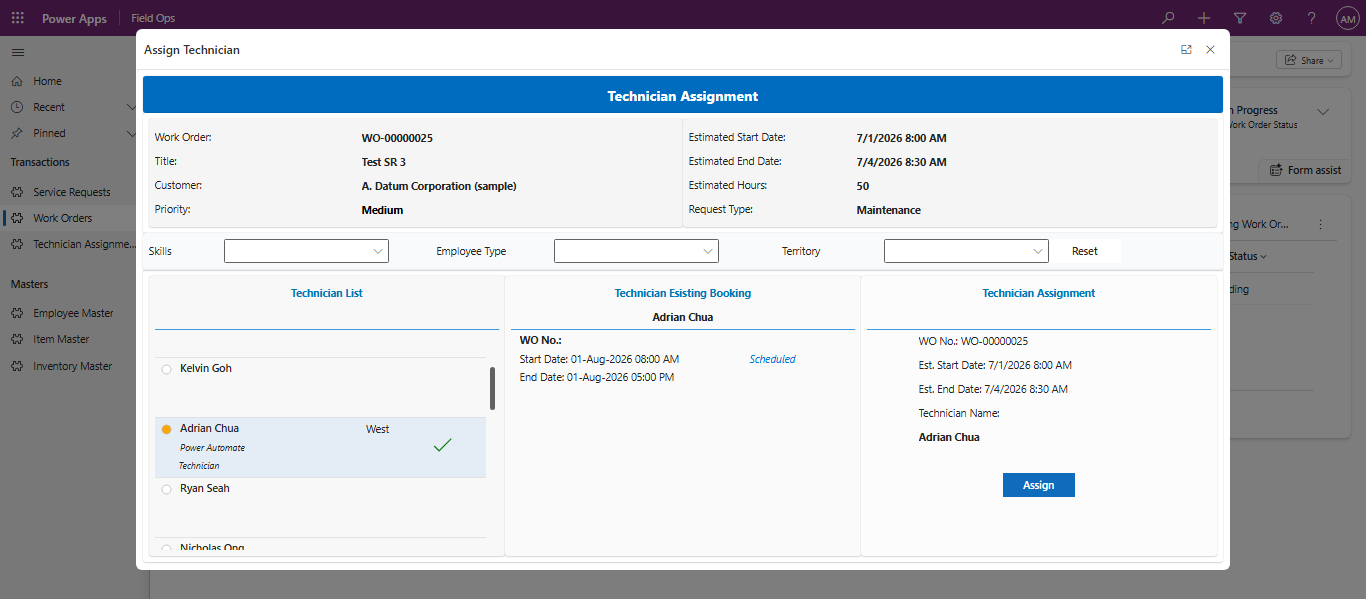
Allocate jobs based on availability, location and skills, and reassign when plans change.
Mobile application
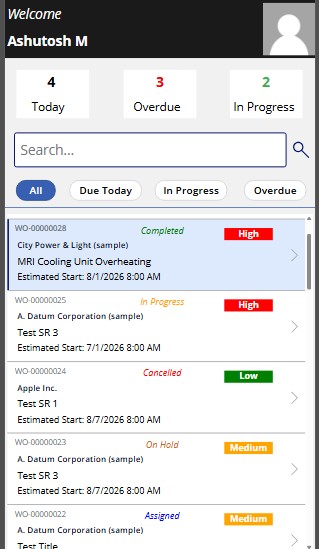
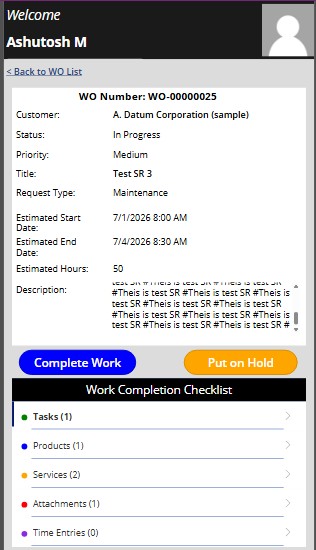
Technicians see their jobs, update progress and capture details from a phone or tablet.
Task management
Break a job into steps so nothing is skipped and progress is visible while work is underway.
Products used
Record parts and materials consumed on site for accurate billing and stock records.
Time entries
Capture time on the job for payroll, invoicing and future job estimates.
Site attachments
Attach photos, readings and documents to the work order as evidence of the visit.
Work completion
Close out a job with a completion record the office and customer can rely on.
What changes for the business
Paperwork stops travelling back to the office in a van. Job status is visible while the work is happening, not the next morning.
- Better technician productivity
- Faster service completion
- Improved customer communication
- Digital field reporting
- Real-time work order visibility
How it looks in use
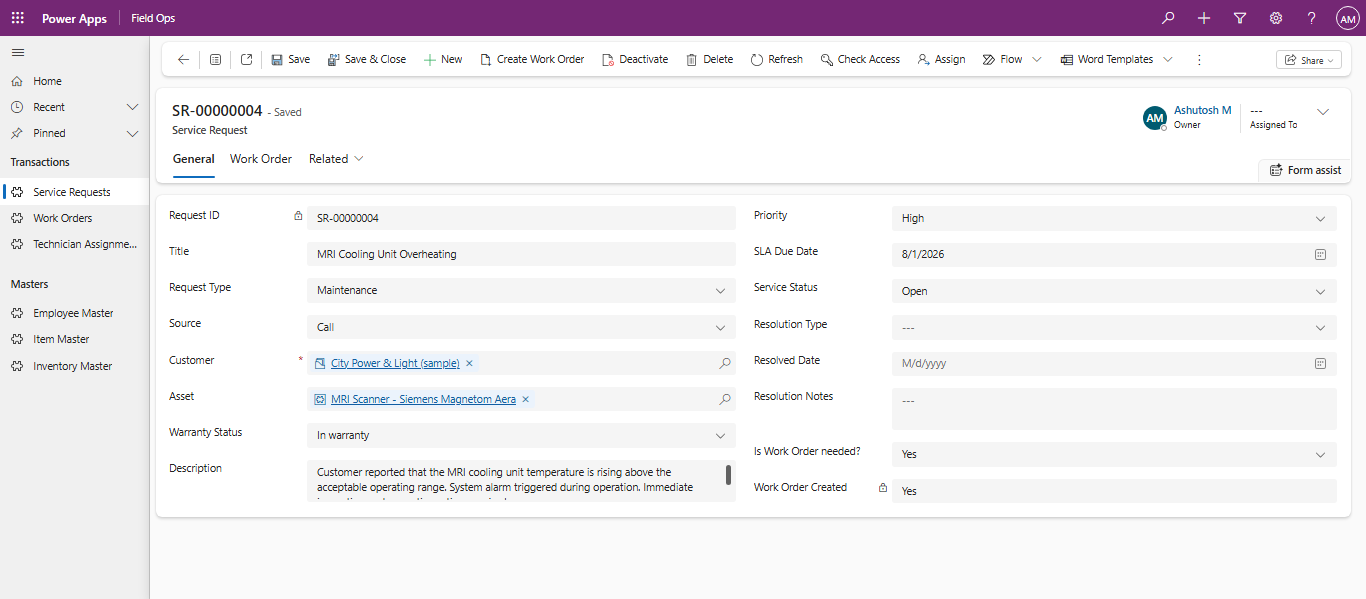
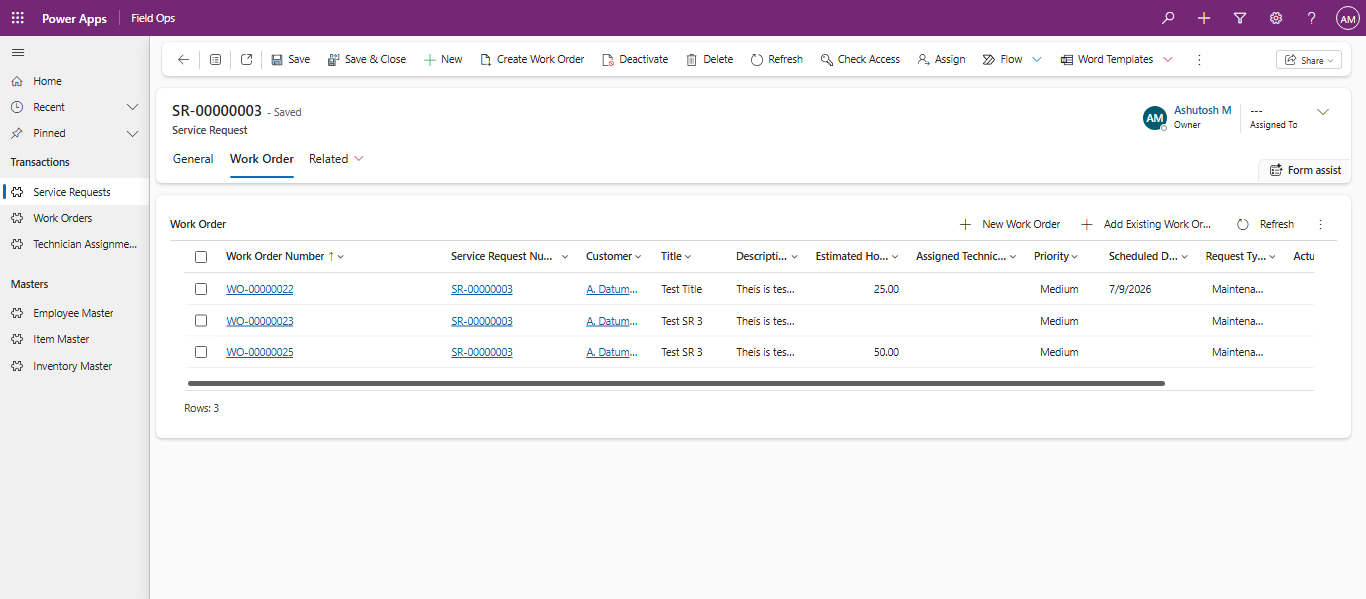
Screens from a live TradeFlow FieldOps environment: the service request record, work orders raised from it, technician assignment, and the mobile view technicians use on site.
Detail captured on every job
Enough structure to report on service performance without adding paperwork for the technician.
- Request type, source and linked asset
- Warranty status at the time of the request
- Priority and SLA due date
- Estimated versus actual hours per work order
- Assigned technician with skills and territory
- Existing bookings checked before assignment
- Job status: assigned, in progress, on hold, completed, cancelled
- Resolution type, resolved date and resolution notes
- Estimated start and end dates visible to the technician on site
- Work completion checklist: tasks, products, services, attachments, time entries
- Jobs put on hold without losing the record of work done so far
Talk through your service workflow
Send us a short description of how jobs are dispatched and reported today, and we will show what FieldOps would look like for your team.