Inventory & Warehouse Management
TradeFlow SCM
TradeFlow SCM helps organisations manage inventory movement, warehouse operations and stock visibility through a centralised business application.
What it covers
Ten areas of day-to-day warehouse and inventory work, handled in one application.
Inventory management
A single record of every item, with stock levels kept current as goods move in and out.
Multi-warehouse support
Track stock separately per site and see the whole picture across locations.
Goods receipt
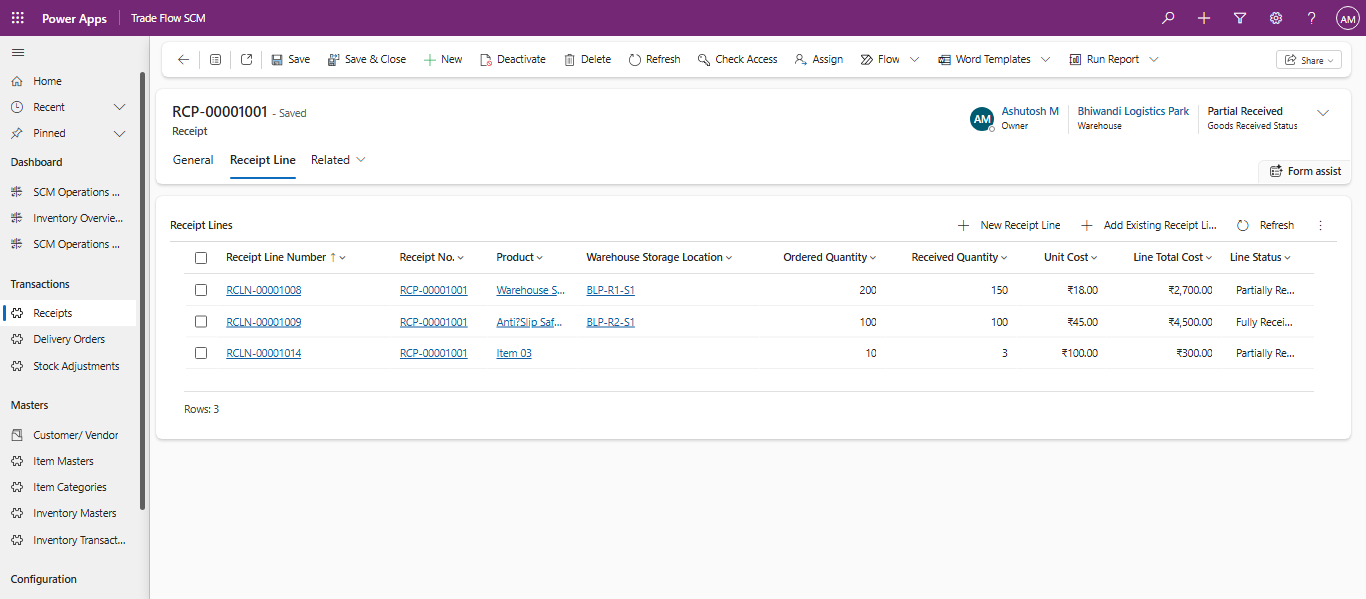
Record incoming deliveries against expected quantities and flag discrepancies on arrival.
Delivery orders
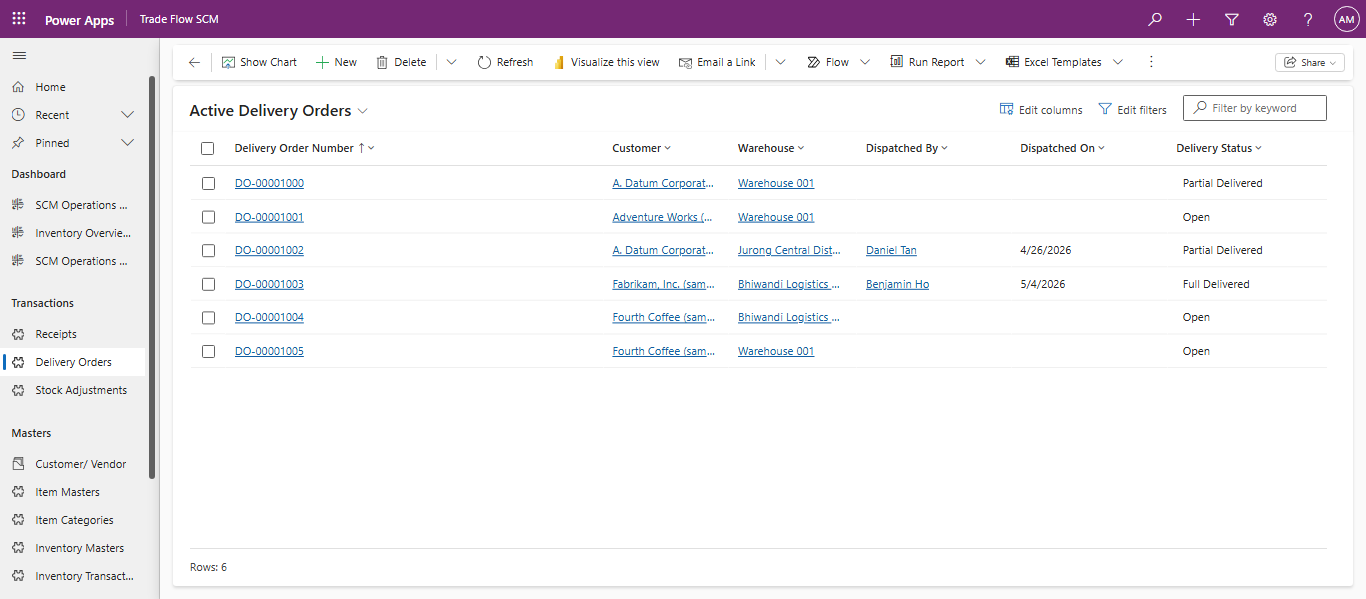
Prepare, pick and confirm outbound orders so dispatch and stock records stay aligned.
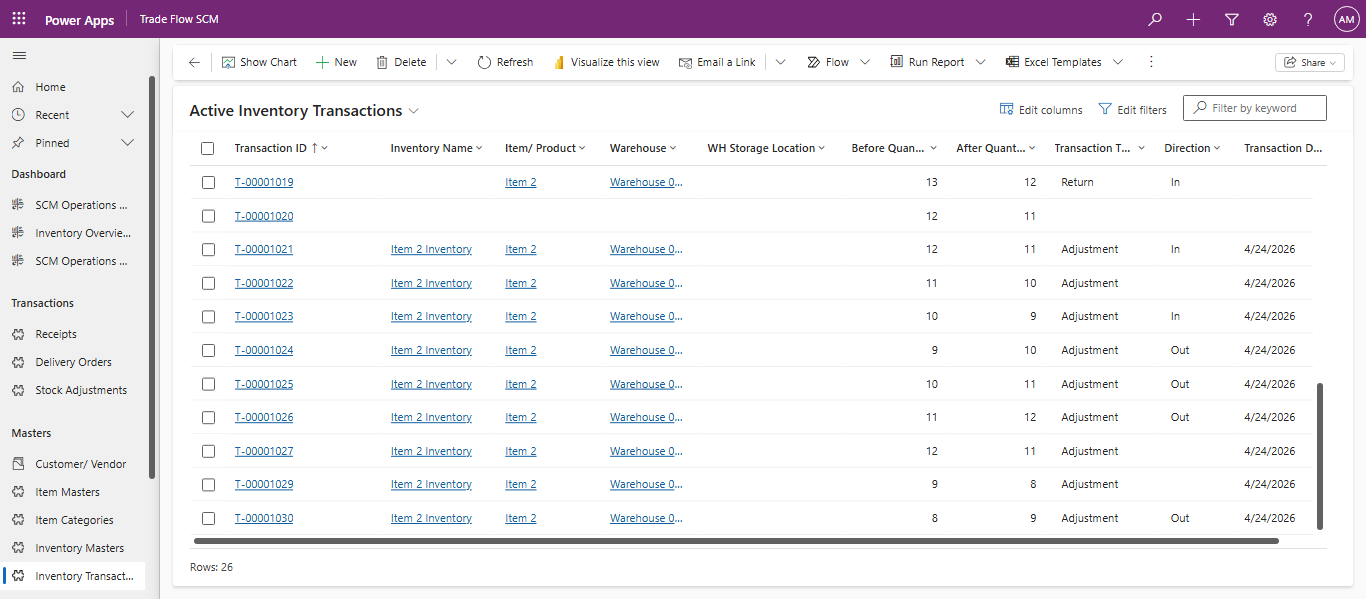
Inventory transactions
Every movement is logged with quantity, location, user and time.
Stock adjustments
Correct counts after a stocktake or damage, with a reason recorded on each change.
Reservation management
Hold stock for confirmed orders so it is not allocated twice.
Dashboards
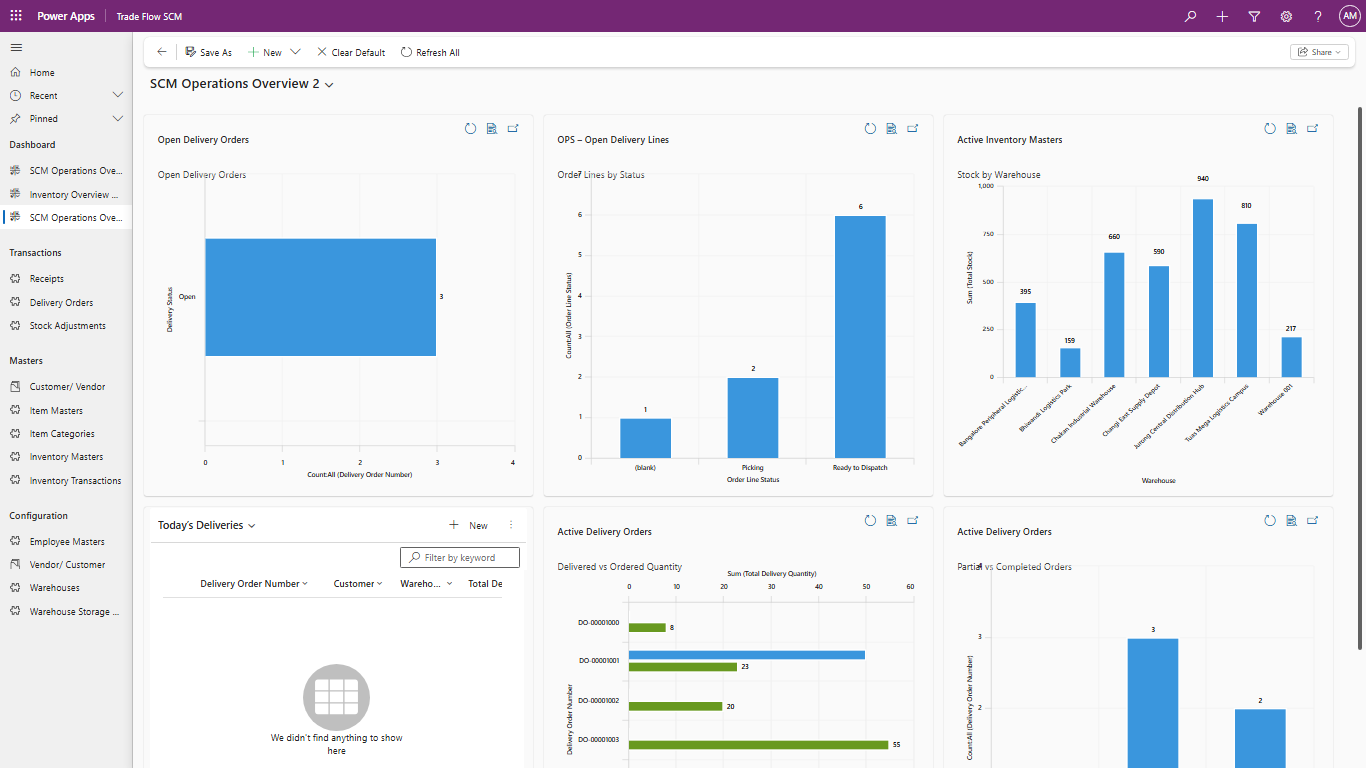
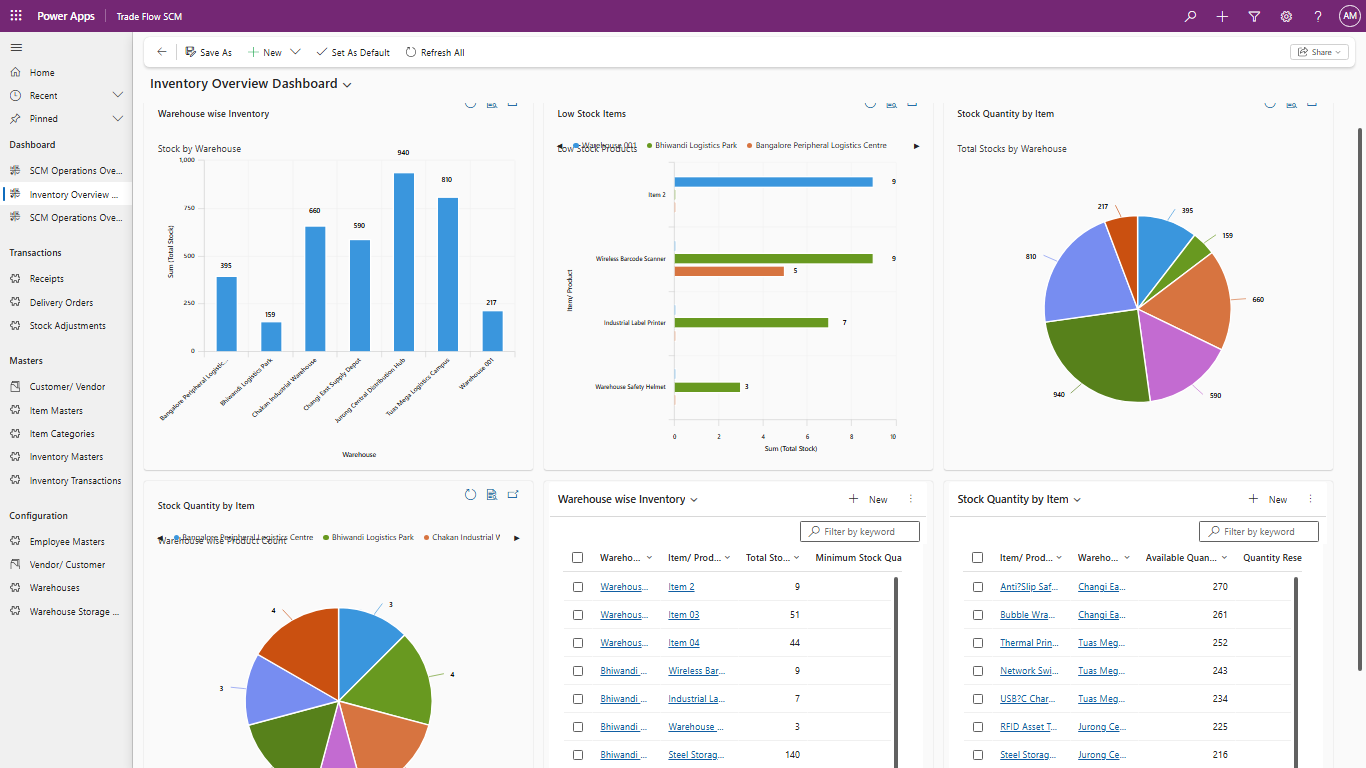
Stock levels, movement volumes and exceptions in views built for daily use.
Power Automate workflows
Approvals, low-stock alerts and notifications run automatically in the background.
Role-based security
Warehouse staff, supervisors and finance each see the records relevant to their role.
What changes for the business
The gains come from having one accurate record instead of spreadsheets, paper notes and separate systems that disagree.
- Improved inventory accuracy
- Better warehouse visibility
- Reduced manual work
- Faster order fulfilment
- Complete audit trail
How it looks in use
Screens from a live TradeFlow SCM environment: operational dashboards, receipt lines against ordered quantities, and outbound delivery orders with their current status.
Detail captured on every movement
Records are structured so that stock figures and financial figures come from the same source.
- Ordered vs received quantity per receipt line
- Warehouse storage location down to bin level
- Unit cost and line total cost on receipt
- Partial and full receipt statuses
- Available and reserved quantity per item
- Low stock thresholds with minimum stock per item
- Dispatch record: who dispatched, when, from which warehouse
- Delivery status: open, partial delivered, full delivered
- Quantity before and after on every inventory transaction
- Transaction type and direction: adjustment, return, in or out
- Transaction date and reference ID for each movement
See how it would fit your warehouse
Tell us how stock moves today and we will walk through where TradeFlow SCM fits, what it would take to set up, and what it would not solve.